

Order Now
Users who have the Payments feature enabled will have the option to add an Order Now button to their Rotabull quotes. This button gives your buyers a streamlined path to purchase an item right when they see your quote. Note that Order Now is only available for parts sales (no MRO) and it only supports USD quotes.
Order Now is activated in Rotabull's Quoting Settings:
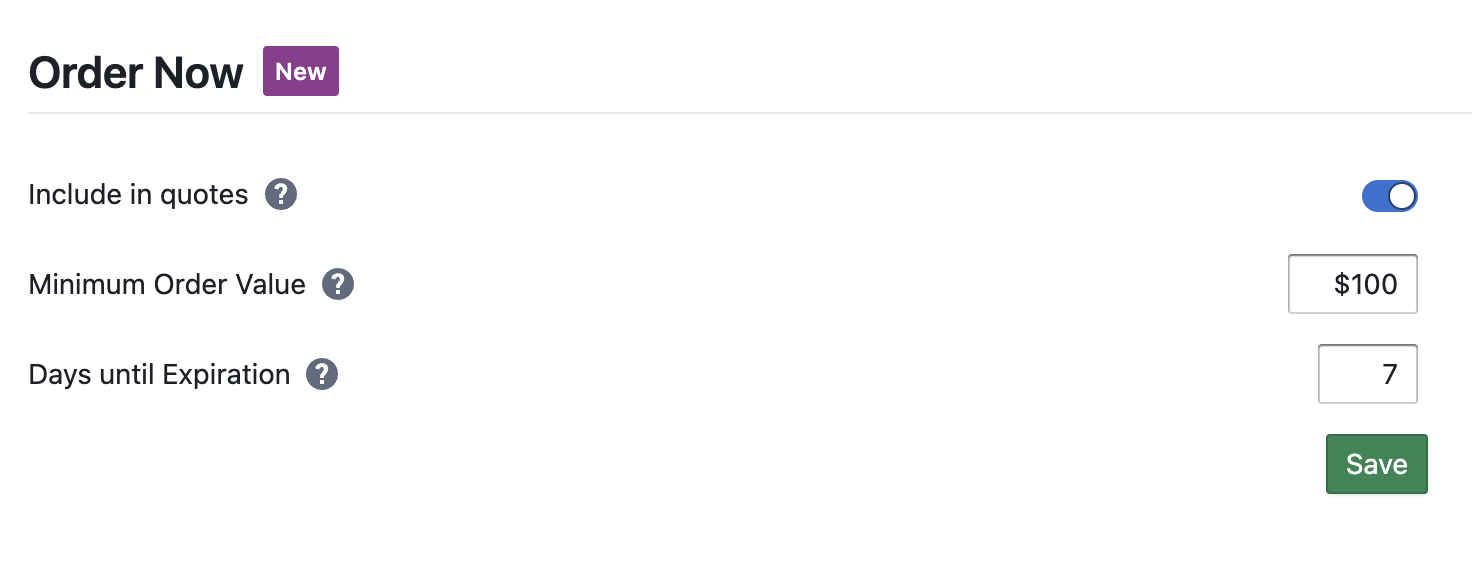
The settings here enable Order Now and also allow you to set some default values for it.
Include in quotes: Once turned on, Rotabull will add the Order Now button to your outgoing quotes, based on the other two settings here.
Minimum Order Value: Here you can set a threshold for the Order Now button based on the total value of the quote. Total value is determined by the prices you are setting in the quote, it includes all lines on the quote and will account for quantity. If the total value does not meet the number you set here, the Order Now button will not be displayed on your quote.
Days until Expiration: Here you can set the number of days that the Order Now button will be useable. This timer begins once you send the quote. Once the number of days has passed, the Order Now button will become inactive.
With the Order Now feature active, it will also be included on both quotes sent manually and those sent via Rotabull's Autoquote feature.
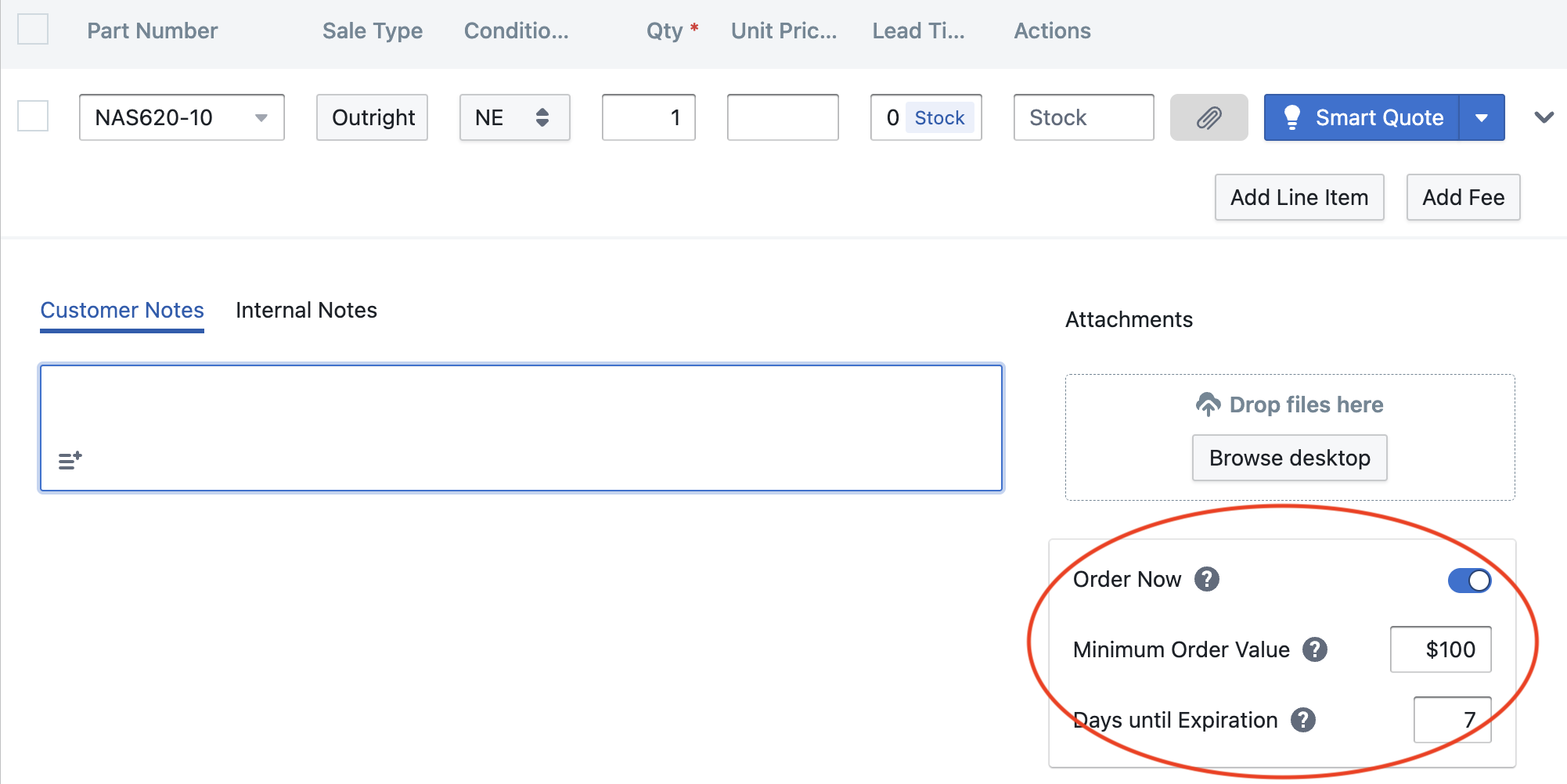
When manually quoting a sales RFQ, you'll find the Order Now settings at the bottom. They will be pre-filled with your defaults, but you can change them before you send the quote (or even turn it off):
Note that Order Now is not a "single-click" purchase, it is a streamlined purchase flow. There are two pages that a buyer needs to fill out (order details, then payment) to purchase a product.
Updated 4 months ago